Hiring Platform
Integrations
Unify InterviewGod with your ATS, job portals, HRIS, and hiring tools for seamless data flow. Automate candidate sync, eliminate duplicate data entry, and maintain a single source of truth across your recruitment technology stack.
→ STEP 1
Connect Your Systems — Secure
Authentication in Minutes
InterviewGod integrations begin with secure platform connection and authentication:
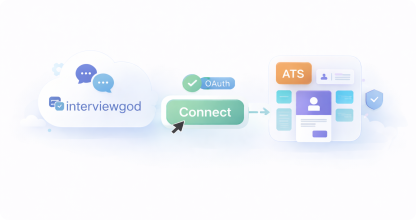
Pre-Built Native Integrations
- One-click OAuth connection
- Pre-mapped ATS & job fields
- Works instantly after authentication
- No technical setup required
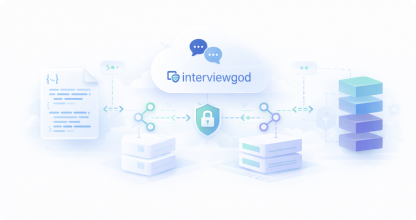
API-Based Custom Integration
- REST APIs with webhook event sync
- OAuth / API Key / JWT authentication
- Sandbox + developer portal
- Scalable enterprise rate limits
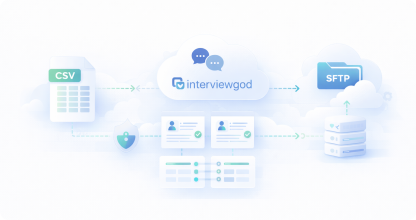
File-Based Integration
- CSV / Excel import & export
- Scheduled SFTP / FTP transfers
- Automated batch candidate sync
- Built-in field mapping tools
Supported Native Integrations:


Authentication Flow
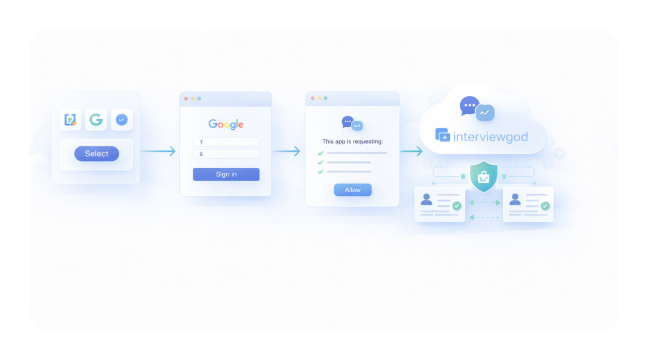
How Authentication Works ( OAuth flow ) :
- Select a platform you want to connect (e.g., Greenhouse, Google Calendar).
- Authenticate via the platform's official login page.
- Grant permissions to InterviewGod (only required read/write access).
- Integration becomes active and data sync starts automatically.
Learn how companies in Financial Services and Healthcare use enterprise integrations for compliant, secure hiring workflows.
STEP 2
Data Mapping — Configure How Candidate
Data Flows Between Systems
Data Mapping — Configure
How Candidate Data Flows
Between Systems
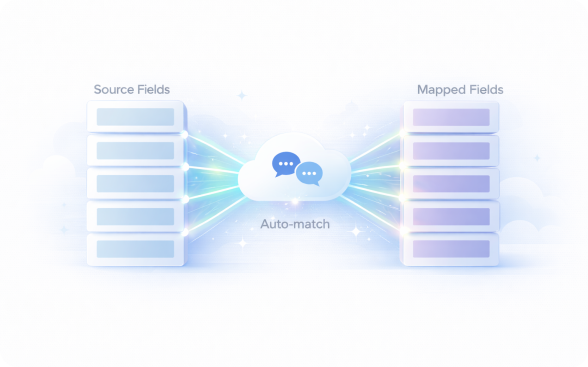
Automatic Field Mapping
- For native integrations, InterviewGod handles most mappings automatically:
- Pre-mapped standard fields: Name, email, phone, resume, application date
- Custom field detection: InterviewGod detects custom fields from connected platforms
- Smart suggestions: AI suggests mappings for custom fields
- One-click approval: Review and confirm suggested mappings
What Data Is Mapped
Custom Mapping (Optional)
Sync Direction Control
Data Quality & Validation
→ STEP 3
Automatic Sync — Candidates Flow
Seamlessly Between Platforms
Automatic Sync — Candidates
Flow Seamlessly Between
Platforms
Once integration is configured, candidate data synchronizes automatically between systems
Real-Time Sync
- Candidates sync automatically after integration
- Updates trigger on apply, interview completion, and status changes
- No manual data transfer by recruiters
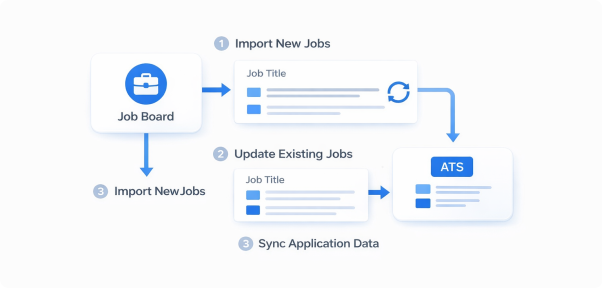
Sync Scenarios
Job Portals → InterviewGod → ATS:
Applicants from LinkedIn/Naukri auto-create profiles, interviews are sent, results sync back to ATS
ATS → InterviewGod → ATS
Existing ATS candidates receive AI interviews, results update ATS stages automatically
Multiple Job Portals → One Profile
Duplicate applicants are merged into a single candidate, interview sent once, source retained
Retail & E-Commerce and Logistics companies use multi-portal integrations to manage high-volume hiring from diverse sources.
→ STEP 4
Automated Interview Distribution — Trigger AI
Interviews Directly from Connected Systems
Automated Interview
Distribution — Trigger AI
Interviews Directly from
Connected Systems
Once integration is configured, candidate data synchronizes automatically between systems
Bulk Interview Operations
- Select multiple candidates in ATS
- Send interviews in a single action
- System prevents duplicate interview sends
- Real-time status updates for each candidate
- Failed sends are logged with retry options
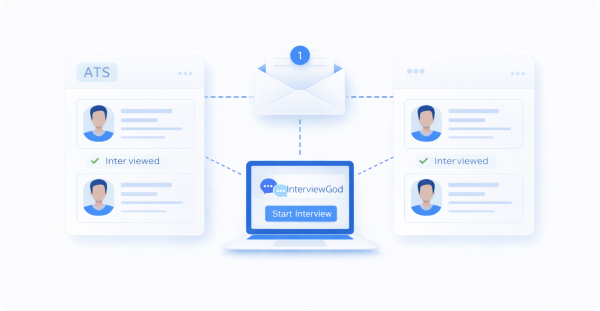
Unified Candidate Experience
- One invitation — even if multiple systems trigger it
- Company branding stays consistent
- Interview link works everywhere
- Status visible in both ATS & InterviewGod
Automated Interview Assignment:
- Assign interviews automatically based on job role
- Route skills to matching assessments
- Differentiate junior vs senior tracks
- Support custom trigger rules
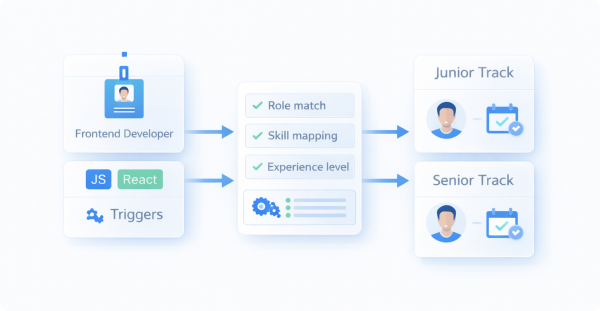
Companies in Consulting and Pharmaceuticals use ATS-triggered interviews to maintain hiring workflow consistency.
→ Step 5
Automatic Results Transfer — Interview
Reports Sync Back to Your ATS
Automatic Results Transfer —
Interview Reports Sync Back to
Your ATS
After candidates complete interviews or assessments, evaluation results automatically sync to connected systems:
Evaluation Details
- Full interview transcript and question-wise responses
- Audio/video recordings and coding submissions (if enabled)
- Proctoring logs with integrity flags and timestamps
- Psychometric insights like confidence and communication style
Status & Visibility
- ATS status auto-updated based on score thresholds
- Hiring managers notified when interviews are completed
- Reports accessible directly inside ATS dashboards
- All results stored historically—no manual exports
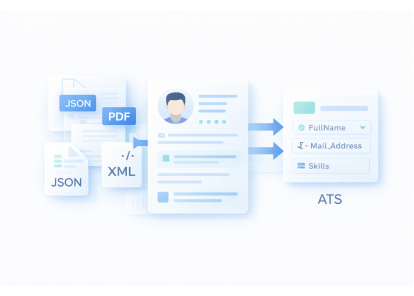
Formats & Compatibility
- Results sync as structured data (JSON/XML)
- PDF evaluation reports attached to candidate profile
- Key insights added as ATS notes or custom fields
- Scores mapped to ATS scales (stars, points, pass/fail)
Financial Services and Healthcare organizations use detailed results sync for compliance documentation and audit trails.
→ STEP 6
Coding Round — Technical Assessment
Integrated into AI Interviews
Coding Round — Technical
Assessment Integrated into AI
Interviews
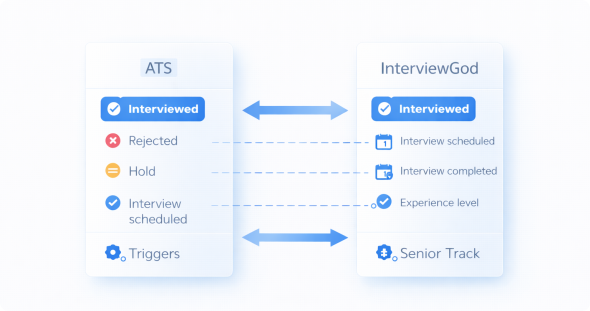
Bidirectional Status Synchronization
ATS → InterviewGod
- Rejected → Interviews auto-cancelled
- Offer / On Hold → Interview flow paused or closed
- Re-activated → Interviews resume
InterviewGod → ATS
- Interview sent → Scheduled
- Interview completed → Completed
- Interview expired → Not completed
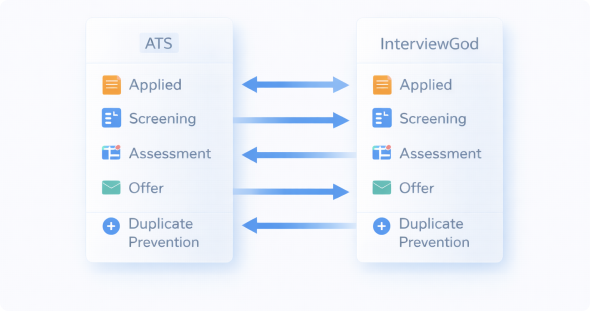
Pipeline Stage Mapping — Consistent Hiring Stages Across Systems
Common Mapping Examples
- ATS stages mapped to InterviewGod stages
- Example: Applied → AI Screening → Assessment → Offer
- Fully customizable per hiring process
Duplicate Status Prevention
- Latest update wins
- Critical actions (Reject, Offer) override others
- Status change history always tracked
Multi-Round Hiring Visibility — Track Progress Across All Rounds
Multi-Round Support
- Tracks candidates across all interview rounds
- Auto-advance on pass
- Full interview history visible
Pipeline Analytics
- Single view of candidate journey
- Time-in-stage tracking
- Bottlenecks easily identified
Manufacturing and Construction companies use multi-stage pipeline integration to manage complex hiring processes.

STEP 7
Integration Management — Monitor Data Health and Troubleshoot Issues
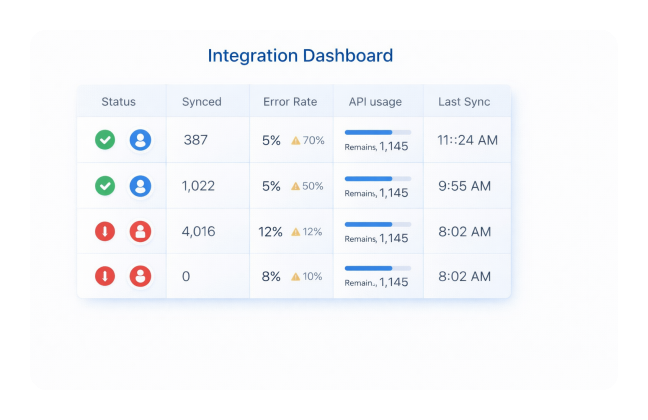
Integration Dashboard:
- Connection status::Green/red indicators for each integrated platform
- Sync statistics::Total records synced today, this week, this month
- Error rates::Percentage of failed syncs and common error types
- API usage::Request volume and remaining rate limit quotas
- Data freshness::Last successful sync timestamp for each connection