
AI Resume Screening Software: Automated Parsing, Ranking & Shortlisting
Screen and rank 500+ resumes in under 5 minutes using AI-powered parsing, skill extraction, and JD-matching. Eliminate manual CV review, remove hiring bias, and shortlist only the most qualified candidates — automatically.
→ STEP 1
AI Resume Screening Setup:
Upload JD and Auto-Configure Screening Criteria
The AI resume screening process begins when you create a hiring group and upload your job description. InterviewGod's AI automatically:
 Extracts required skills and qualifications from the JD
- Identifies must-have vs. nice-to-have requirements
- Understands experience level expectations (entry, mid, senior)
- Recognizes key responsibilities and role-specific requirements
- Auto-generates a group name (editable anytime)
The system queues the call request and initiates the AI call screening within minutes of candidate confirmation.
AI Resume Screening
AI that instantly spots the right resumes.
→ STEP 2
Advanced Screening Criteria:
Customize resume screening parameters for precise candidate filtering:
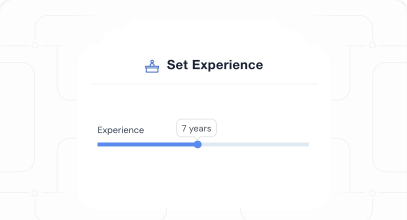
1. Experience Requirements
- Set minimum and maximum years of experience
- Define relevant industry experience requirements
- Specify career level (entry, mid-level, senior, leadership)
- Filter by company type (startup, enterprise, specific industries)
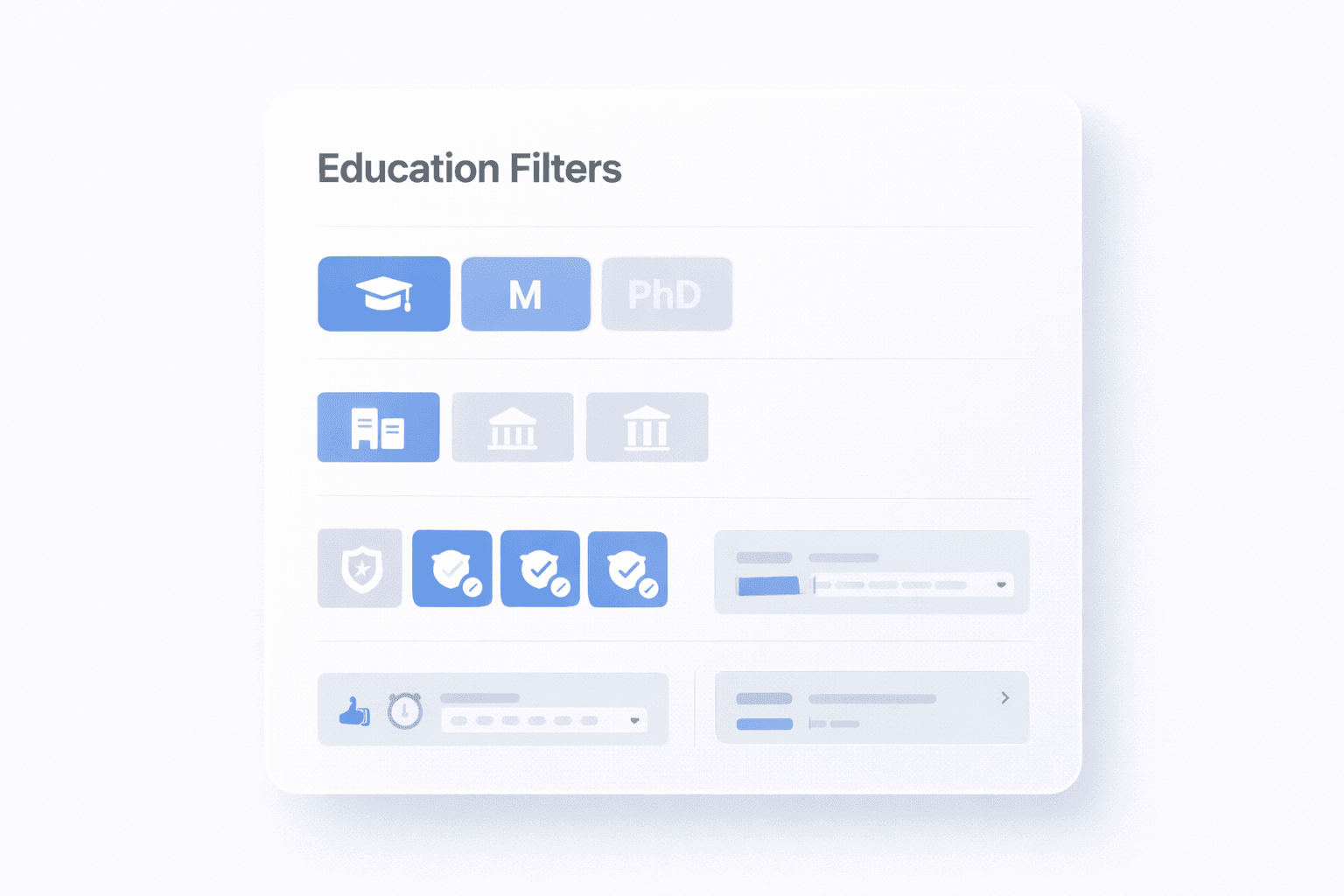
2. Education & Certification Filters
- Required degree levels (Bachelor's, Master's, PhD)
- Preferred universities or institution types
- Mandatory certifications (PMP, AWS, CPA, etc.)
- Field of study requirements
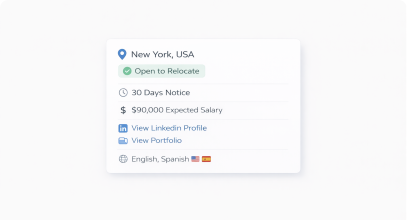
3. Location & Availability
- Geographic preferences (city, state, country, remote)
- Relocation willingness indicators
- Notice period constraints
- Availability requirements (immediate, 30 days, etc.)
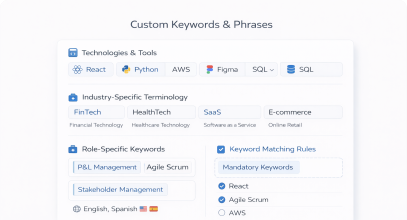
4. Custom Keywords & Phrases
- Add specific technologies, tools, or methodologies
- Include industry-specific terminology
- Define role-specific keywords (e.g. P&L, management, "Agile Scrum")
- Set mandatory vs. optional keyword matching
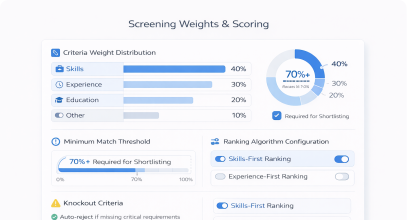
5. Screening Weights & Scoring
- Assign weights to different criteria (skills: 40%, experience: 30%, education: 20%, other: 10%)
- Set minimum match scores for shortlisting (e.g., 70%+ match)
- Define knockout criteria (auto-reject if missing critical requirements)
- Configure ranking algorithms (skills-first vs. experience-first)
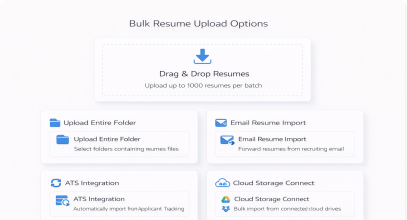
6. Bulk Resume Upload Options
- Drag-and-drop: Upload multiple resumes at once (up to 1000 resumes per batch)
- Folder upload: Select entire folders containing resume files
- Email integration: Forward resumes from your recruiting email directly
- ATS sync: Automatically import resumes from existing Applicant Tracking Systems
- Cloud storage: Connect to Google Drive, Dropbox, or OneDrive for bulk import
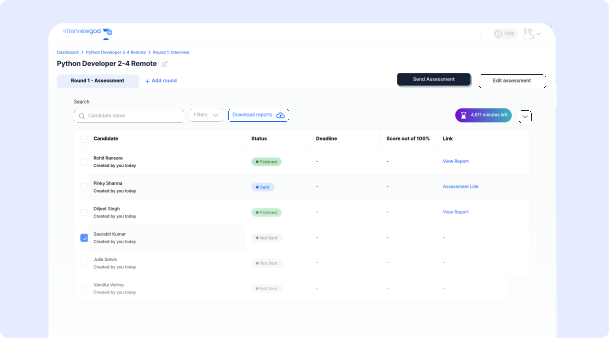
7. Real-Time Processing Dashboard
Recruiters have complete visibility into the resume screening pipeline from upload to shortlist generation.
- Processes uploaded resumes instantly (seconds per resume)
- Shows real-time parsing progress and status
- Identifies parsing errors or unreadable files
- Tracks total resumes uploaded, processed, and pending
- Provides live screening results as they complete
- Allows filtering and sorting as resumes are being processed
→ STEP 3
AI Resume Parsing &
Information Extraction
When resumes are uploaded, the AI resume screening system
performs comprehensive parsing:
95%+ Parsing Accuracy on Standard Resume Formats
Personal Information:
- Full name and contact details
- Email address and phone number
- LinkedIn profile and portfolio links
- Current location and relocation preferences
Professional Experience:
- Job titles and company names
- Employment dates (start and end dates)
- Job descriptions and responsibilities
- Key achievements and accomplishments
- Technologies and tools used
- Industry and domain experience
Education & Qualifications:
- Degrees and certifications
- Universities and institutions
- Graduation years and GPAs (if mentioned)
- Fields of study and specializations
- Academic projects and research
Skills & Competencies:
- Technical skills (programming languages, tools, platforms)
- Soft skills (leadership, communication, teamwork)
- Domain expertise (finance, healthcare, manufacturing, etc.)
- Certifications and licenses
- Language proficiencies
Additional Data:
- Total years of experience
- Career progression trajectory
- Employment gaps (identified and flagged)
- Notice period (if mentioned)
- Expected salary range (if mentioned)
Multi-Format Processing:
- PDF resumes: Standard and scanned PDFs with OCR
- Word documents: DOCX and DOC formats
- Text files: Plain text resumes
- Images: JPG, PNG scanned resumes with intelligent OCR
- Complex layouts: Multi-column, creative designs, infographics
Parsing Accuracy:
- Creative layouts: 85-90% accuracy
- Scanned documents: 80-85% accuracy with OCR
- Non-English resumes: Supported with reduced accuracy
Error Handling:
- Flags unreadable sections for manual review
- Highlights low-confidence extractions
- Provides original resume for recruiter verification
- Allows manual corrections and re-parsing
→ STEP 4
Job Description Matching &
Relevance Scoring
After parsing, the AI resume screening system performs intelligent
matching against your job description:

Skill Matching Analysis
The AI evaluates how candidate skills align with job requirements

Experience Level Evaluation
Resume screening analyzes professional experience depth

Education & Certification Matching:
The system evaluates academic qualifications

Advanced Semantic Analysis
AI resume screening goes beyond keyword matching

Scoring Methodology
Each resume receives comprehensive scores
→ STEP 5
Automated Candidate Ranking &
Shortlisting
Based on matching scores, the AI resume screening system automatically ranks all candidates:
1. Ranking Algorithm:
- Highest to lowest match: Candidates sorted by overall match percentage
- Weighted criteria: Ranking considers your custom priority settings
- Must-have requirements: Candidates missing critical requirements ranked lower
- Tie-breaking logic: Secondary criteria used when scores are similar
2. Automatic Shortlisting
- Tier 1 - Strong Matches (80-100% match)
- Tier 2 - Good Matches (60-79% match)
- Tier 3 - Potential Matches (40-59% match)
- Below Threshold (<40% match)
3. Custom Shortlist Creation:
Create targeted candidate lists:
- Filter by minimum match score (e.g., 70%+ only)
- Filter by specific skills or qualifications
- Sort by experience level, location, or availability
- Create multiple shortlists for different interview rounds
- Export shortlists to PDF, Excel, or your ATS
Learn how companies in Manufacturing, Retail & E-Commerce, and Technology companies use AI resume screening for high-volume candidate filtering.

STEP 6
AI Resume Screening Software: Automated Parsing, Ranking & Shortlisting Reports & Analytics
Each resume receives a comprehensive profile:
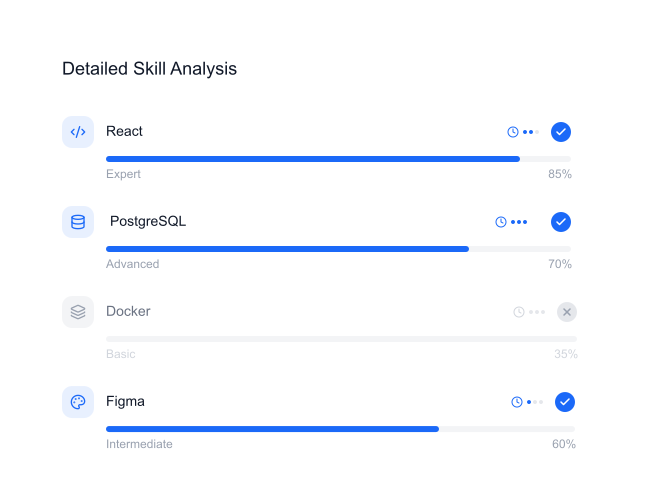
Detailed Skill Analysis:
- All extracted skills listed with proficiency indicators
- Required skills match status (✓ = match, x = missing)
- Preferred skills match status
- Skill recency and years of experience per skill
- Skill gaps analysis
→ STEP 7
Interview Round Integration
Resume screening integrates seamlessly with subsequent hiring rounds:
Multi-Round Hiring Workflow
Shortlisted candidates flow automatically into next stages:
- Direct to AI Interview
- Direct to AI Assessment
- Direct to AI Call Screening
- Manual review
Ready to get started?
Talk to us todayEmail us
hello@interviewgod.aiNextCoWorks, JP Nagar,
Bengaluru, Karnataka 560078
Stay up to date
Stay informed about latest updates
@2026 InterviewGod. All Rights Reserved.