
LinkedIn Extension
Source, screen, and evaluate candidates directly inside LinkedIn with AI-powered automation. Create hiring groups, generate interviews, auto-scan applicants, and track progress—all from your LinkedIn workflow.
→ STEP 1
Installation & Setup — Activate AI Hiring
Inside LinkedIn
The LinkedIn Extension integrates directly into your LinkedIn
recruiter workflow:
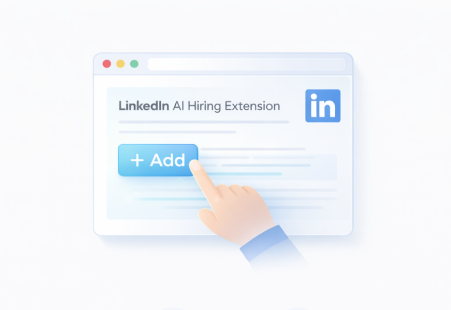
Extension Installation
 Install from Chrome Web Store
- Sign in with InterviewGod account
- Approve LinkedIn access permissions
- Extension auto-activates across your LinkedIn jobs
- No extra setup — ready to use instantly
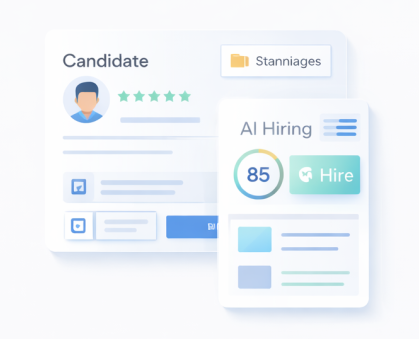
Where the Extension Appears in LinkedIn
- Job Posting Pages — manage interviews for each role
- Applicant List — bulk actions for candidates
- Candidate Profile — trigger interviews directly
- Persistent Sidebar — manage all jobs in one place
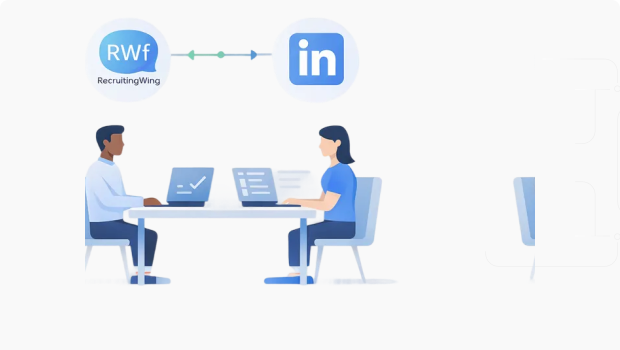
Real-Time Sync (Automatic)
- LinkedIn applicants → InterviewGod hiring groups
- AI interview invites → sent automatically
- Status updates → synced bidirectionally
- Interview results → added to LinkedIn candidate notes
Security & Compliance
- Read-only access to job & applicant data
- No access to messages or private connections
- Encrypted storage & transfer
- GDPR & privacy compliant
- Honors recruiter-level permissions
Learn how companies in Technology, Financial Services, and Healthcare use the LinkedIn Extension for high-volume sourcing and screening.

→ STEP 2
Hiring Group Setup— Create AI Interviews
Directly fromLinkedIn Jobs
1. Link a Hiring Group
- Select an existing hiring group or create a new one
- LinkedIn job is connected to InterviewGod
- Applicants will sync to this group
2. AI Understands the Role
3. Review & Configure
Companies in Retail & E-Commerce and Manufacturing use the LinkedIn Extension to quickly set up hiring groups for seasonal and high-volume roles.
→ STEP 3
Interview Setup — Configure AI Interviews
After hiring group creation, the extension guides you through interview/assessment configuration
Choose Interview Type
- AI Interview – voice-based interviews for communication & behavior
- AI Assessment – MCQs and coding for technical evaluation
- Combined Rounds – interview + assessment in one flow
Auto-Generated Interview Structure
- Skills from the job description become interview sections
- Question count and difficulty suggested automatically
- Logical flow created from general → role-specific skills
Customize What Matters
- Adjust question count and difficulty per section
- Reorder sections using drag & drop
- Add custom company-specific questions when needed
Technical & Coding Rounds (Optional)
- Enable coding rounds for technical roles
- Select topics, languages, and difficulty
- AI generates problems with test cases
Integrity & Proctoring Controls
- Full-screen enforcement
- Tab-switch & copy-paste tracking
- Face detection & gaze monitoring
- KYC and lip-sync verification (optional)
Two Setup Modes
- Express setup – use AI defaults, deploy in minutes
- Custom setup – full control over questions & rules
- Save & continue — your AI interview is ready to send
Consulting firms and Pharmaceuticals companies use the LinkedIn Extension to create role-specific interviews with custom evaluation criteria.

→ STEP 5
Smart Shortlisting — Auto-Select Best
Candidates or Manually Shortlist
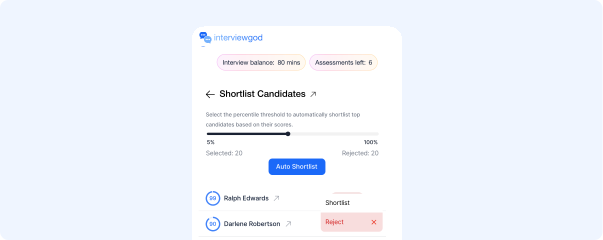
After applicants sync from LinkedIn, the extension provides intelligent shortlisting options:
AI-Powered Automatic Shortlisting
- InterviewGod scores all LinkedIn applicants using resume-screening AI
- Candidates above the selected percentile are automatically shortlisted and ranked
Percentile-Based Selection
- Recruiters define cutoffs (e.g., top 80%, 60%, or custom)
- Percentiles help control shortlist size based on applicant volume and role needs
Manual Candidate Selection
- Recruiters can handpick candidates directly from the extension
- LinkedIn profiles and resumes remain accessible for deeper review
Hybrid Shortlisting Control
- Combine InterviewGod AI recommendations with recruiter judgment
- Final shortlisting decisions always remain human-controlled
Shortlist Management
- View, reorder, or remove shortlisted candidates at any time
- Export shortlist for internal review or approvals
LinkedIn Status Sync
- Shortlisted candidates can be marked Under Review in LinkedIn (optional)
- Rejected candidates update automatically to Not Selected
Companies in Financial Services and Healthcare use AI-powered shortlisting to identify qualified candidates from large LinkedIn applicant pools.
→ STEP 6
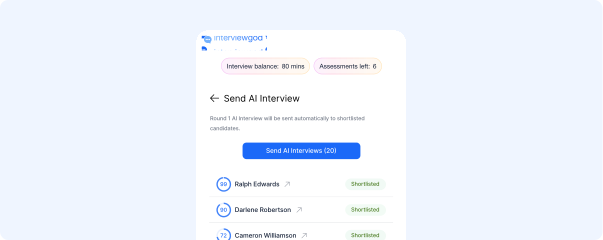
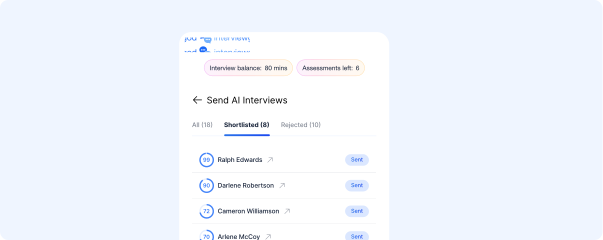
Interview Deployment — Send AI Interviews
to Shortlisted Candidates Instantly
After shortlisting candidates, the extension enables immediate interview distribution:
1. One-Click Bulk Sending
- Select all shortlisted candidates or choose specific profiles
- Click "Send Interviews" to trigger invitations
- Supports partial or full shortlist selection
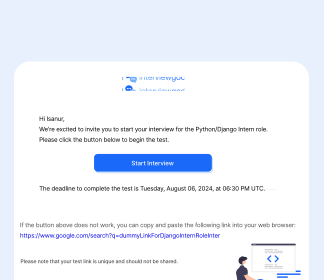
2. Interview Invitation Process
- Unique interview link generated for each candidate
- Invitations sent instantly after trigger
- Standard completion deadline applied automatically
- Candidate status updates to "Interview Sent"
3. Communication Customization
- Invitation includes company name and job title
- Interview type and estimated completion time shown
- Clear instructions and deadline highlighted
- Optional LinkedIn notifications supported
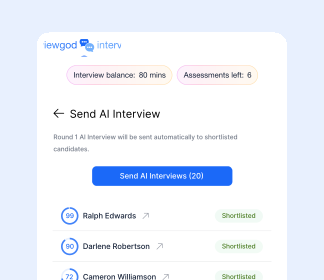
4. Sending Confirmation
- Confirmation shows number of candidates invited
- Failed sends flagged with clear reasons
- Retry option available for failed deliveries
Manufacturing and Construction companies use bulk interview distribution to efficiently evaluate candidates sourced from LinkedIn.
Ready to get started?
Talk to us todayEmail us
hello@interviewgod.aiNextCoWorks, JP Nagar,
Bengaluru, Karnataka 560078
Stay up to date
Stay informed about latest updates
@2026 InterviewGod. All Rights Reserved.